The minimum permissible thickness of the brake disc of the front wheel brake mechanism is 23 mm. If the thickness of one of the discs is less than the specified one, replace both discs. When replacing the brake discs, be sure to replace the brake pads with a new set.
You will need: a 15 mm socket head and a wheel nut wrench.
1. Remove the wheel from the side of the disc being replaced.
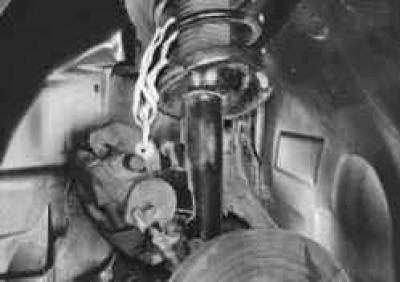
2. Remove the caliper assembly (see "Replacing the caliper assembly with the pad guide"), without disconnecting the brake hose, and secure with wire, preventing the hose from twisting or being pulled.
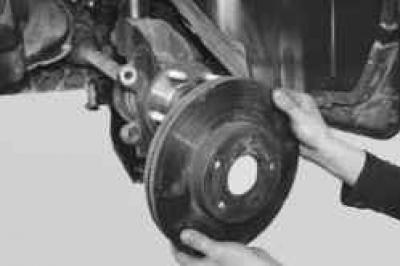
3. Remove the brake disc.
4. Similarly, remove the brake disc of the second brake mechanism.
5. Install the parts in the reverse order of removal.
NOTE: Before installing the disc, thoroughly clean the mating surfaces of the hub and disc from rust and scale, since even the smallest particle clamped between the mating surfaces will cause disc beating and vibration during braking.
USEFUL TIP: If you are installing the same disc, use a file to remove the ridges on the working surfaces of the disc that have formed as a result of disc wear on both sides.
The original source of this article can be found at [FordBook]