


Contents: Removal ↳ Installation ↳
Removal
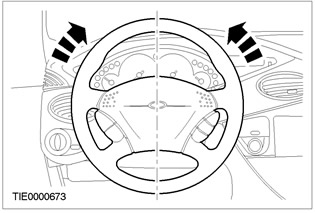
1.
NOTE: Make sure the front wheels are pointing straight ahead.
Center the steering and lock it in this position.
2. Remove the driver air bag module. Refer to Section 501-20A / 501-20B for additional information.
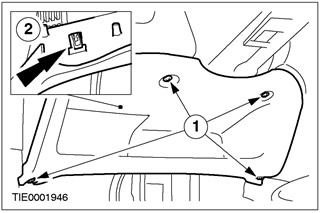
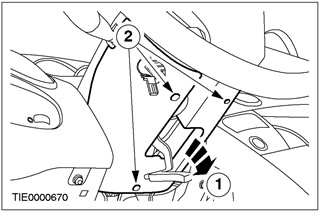
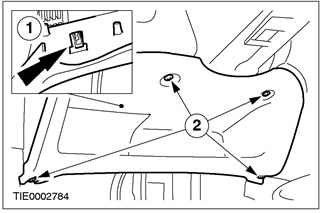
3. Disconnect the lower section of the instrument panel.
- 1. Remove the screws.
- 2. Disconnect the clamp.
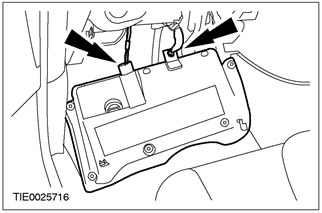
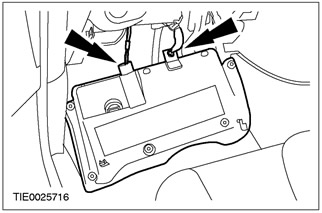
4. Disconnect the data link connector (DLC) and the footwell lamp connectors (if equipped).
- Remove the lower section of the instrument panel.
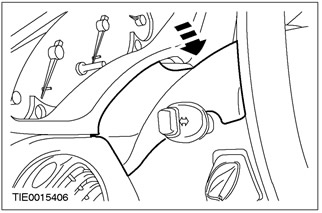
5. Remove the upper steering column cover.
- Using a thin-tipped screwdriver, release the two clips (one on each side).
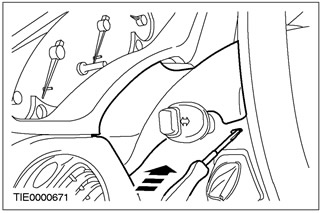
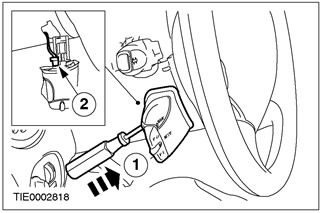
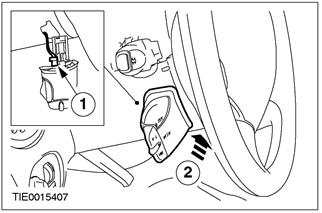
6. Remove the audio control switch (if equipped).
- 1. Using a thin-tipped screwdriver, release the locking element.
- 2. Disconnect the audio control switch connector.
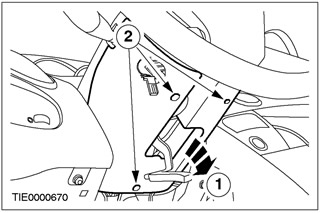
7. Remove the lower steering column cover.
- 1. Release the steering column lock lever (if equipped).
- 2. Remove the screws.
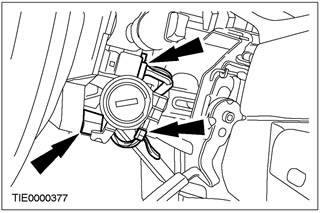
8. Disconnect the electrical connectors of the passive anti-theft system (PATS) transceiver, windshield wiper/washer switch, and clock spring/steering wheel speed sensor/speed control system.
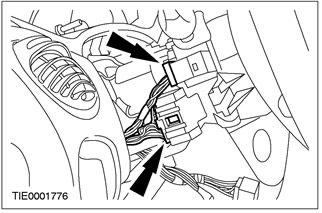
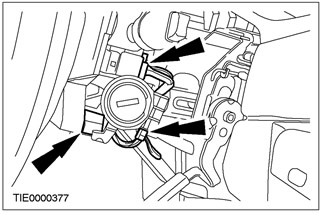
9. Disconnect the plug connectors of the ignition switch and the turn signal/headlight signal switch.
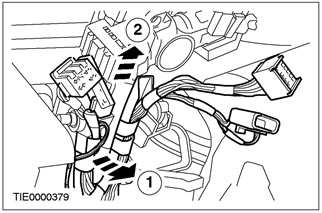
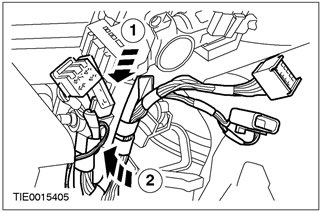
10. Disconnect the wiring harness from the steering column.
- 1. Release the locking pin.
- 2. Disconnect the wiring harness from the steering column.
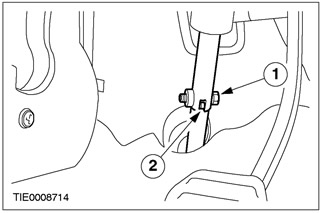
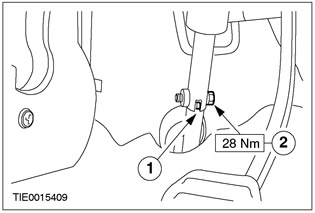
11. Disconnect the steering column shaft from the steering gear.
- 1. Remove the bolt.
- 2. Disconnect the steering gear pinion shaft from the steering column.
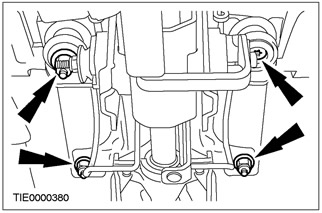
12. Remove the steering column.
- Remove the three self-locking nuts.
- Remove the Torx bolt.
Installation
All cars
1.
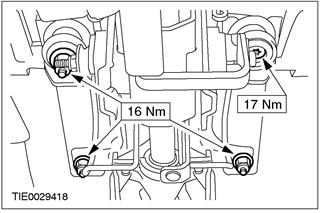
WARNING: When installing the steering column, be sure to install new self-locking nuts. Failure to follow this instruction may result in personal injury.
CAUTION: Make sure the front wheels are pointing straight ahead.
Install the steering column.
2.
WARNING: Install a new steering column pinch bolt. Failure to follow these instructions could result in personal injury.
Connect the steering column shaft to the steering gear.
- 1. Connect the steering column shaft to the steering gear.
- 2. Install the bolt.
3. Connect the wiring harness to the steering column.
- 1. Connect the wiring harness to the steering column.
- 2. Install the dowel pin.
4. Connect the plug connectors of the ignition switch and the turn signal/headlight alarm switch.
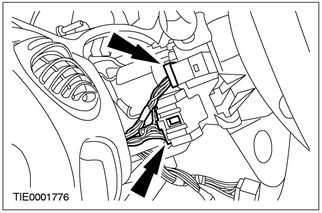
5. Disconnect the electrical connectors of the passive anti-theft system (PATS) transceiver, windshield wiper/washer switch, and clock spring/steering wheel speed sensor/speed control system.
6. Install the lower steering column cover.
- 1. Lower the steering column lock lever.
- 2. Screw in the screws.
7. Set the audio control switch (if equipped).
- 1. Connect the audio control switch plug.
- 2. Set the audio control switch.
8. Install the upper steering column cover.
9. Connect the data link connector (DLC) and the footwell lamp connectors (if equipped).
10. Connect the lower section of the instrument panel.
- 1. Secure the clamp.
- 2. Install the screws.
11. Install the driver air bag module. Refer to Section 501-20A / 501-20B for additional information.
Vehicles with stability control
12.
WARNING: Requires reconfiguration of Electronic Stability Assist. Failure to follow this instruction may result in injury.
Using WDS, configure the Electronic Course Stability Control function.