Contents: Removal ↳ Installation ↳
Removal
1. Detach the cell phone handset bracket.
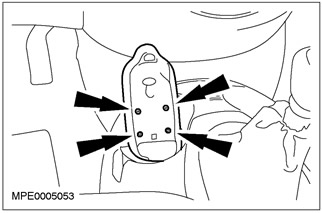
2. Remove the rubber mat from the cup holder.
3. Remove the screws securing the center console.
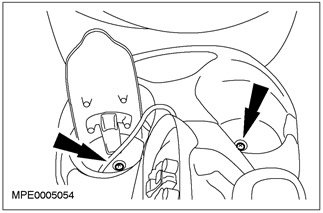
4. Remove the ashtray (if present).
5. Remove the mounting screw at the rear of the center console.
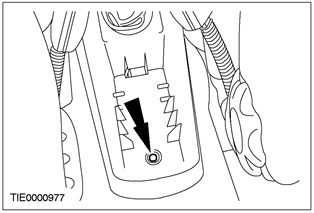
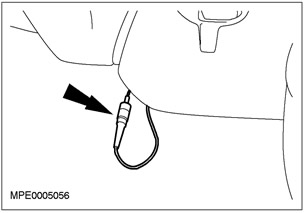
6. Disconnect the antenna electrical connector.
- Lift the center console and disconnect the electrical antenna.
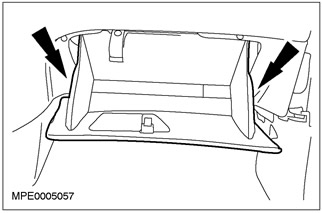
7. Release the glove compartment by pressing on the side panels.
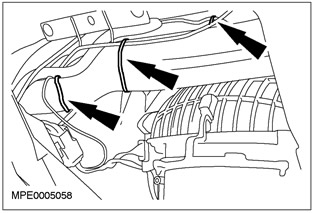
8. Disconnect the antenna cable from the vehicle body crossmember.
- Cut the clamps.
9. Remove the A-pillar trim panel. Refer to Section 501-05 for additional information.
10.
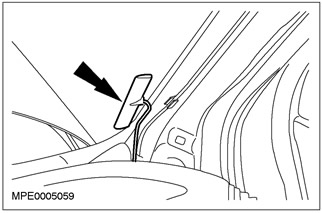
NOTE: The antenna is glued to the windshield. If the windshield is removed, a new antenna must be installed.
Remove and discard the antenna.
Installation
1.
CAUTION: Before installing the antenna, clean the windshield with an alcohol swab.
NOTE: Install a new antenna.
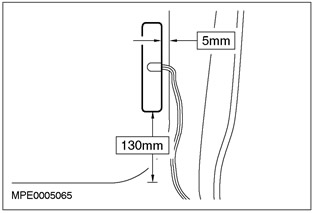
NOTE: The antenna must be installed in the position shown.
To install, follow the removal procedure in reverse order.