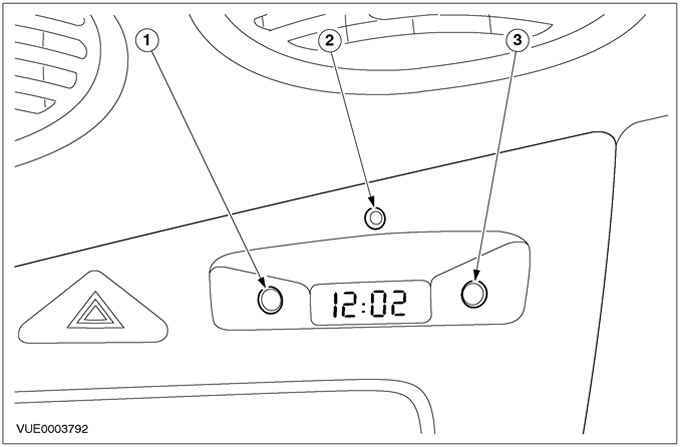
| Pos. | Spare Part No | Name |
| 1 | Clock setting button | |
| 2 | Anti-theft alarm system indicator light | |
| 3 | Minutes setting button |
Watch:
- Shows time in 12- or 24-hour format.
- Works with backlight in position II of the ignition switch.
- Works with backlight in position I of the ignition switch with the light switch on.
- They work with dimming of the backlight when the light switch is on, if a backlight dimmer is installed.
- They have a built-in anti-theft system indicator light.
Setting the time
To set the clock time, the ignition switch must be set to position II.
1. Press and hold the H button until the desired hour value appears on the display.
2. Press and hold the M button until the desired value for minutes appears on the display.
Setting 12 or 24 hour format
To switch between the 12- and 24-hour format, simultaneously press both buttons - H and M - in position II of the ignition switch.