1. Disconnect the wire from the negative terminal of the battery.
2. Remove the accessory drive belt (see "Replacement of auxiliary drive belt").
3. Remove the right headlight (see "Headlight replacement").
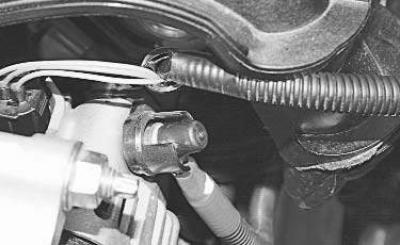
4. Remove the protective cap…
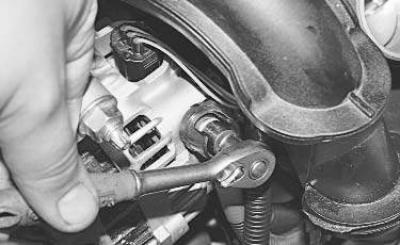
5. …unscrew the nut…
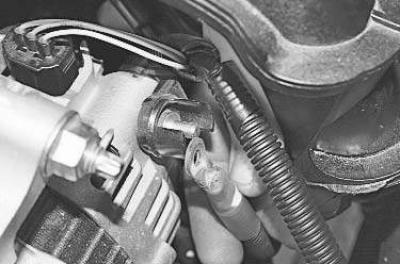
6. …and remove the terminal from the generator"s positive terminal.
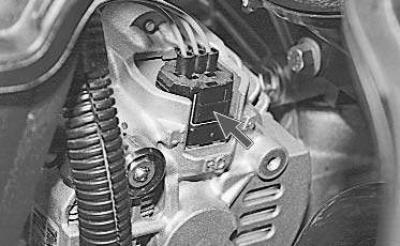
7. Press the lock…
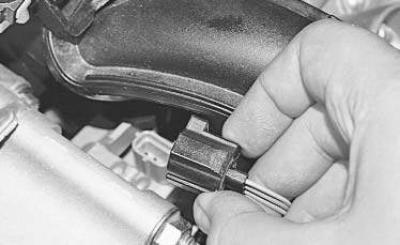
8. …and disconnect the wiring harness connector from the generator terminals.
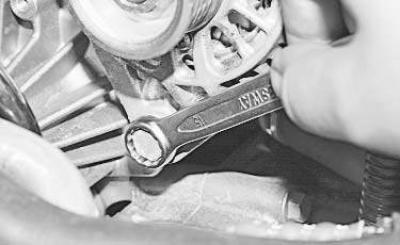
9. Remove the lower generator mounting bolt.
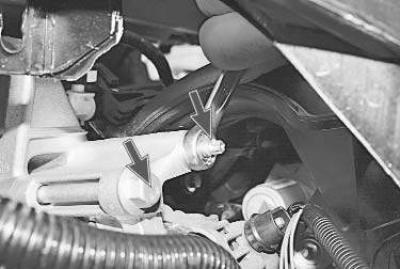
10. Unscrew one nut and remove one bolt of the upper generator mount to the cylinder head.
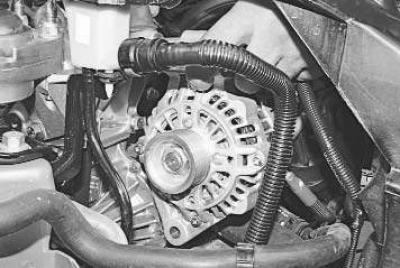
11. Remove the generator from the stud and pull it out through the headlight opening.
12. Install the generator and all previously removed parts in reverse order.
Note. According to the manufacturer's recommendations, the accessory drive belts and the power steering pump should be cut with a knife for removal, after which they become unusable. This is because both belts cannot be reused even after removal without damage, since they are designed only for one-time stretching when put on the pulleys (belt tension adjustment is not provided). In addition, belt replacement is regulated after a certain mileage or service life, therefore, when replacing the accessory drive belt, the power steering pump drive belt should be replaced at the same time.