Adjusting the front planetary gear brake band
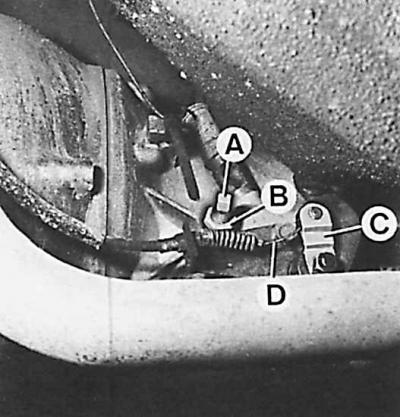
A – adjusting bolt, B – lock nut, C – gear reduction lever, D – kick-down cable
1. Disconnect the cable (D) from the gear reduction lever (C).
2. Loosen the nut (B) locking the adjusting bolt (A) and unscrew this bolt a few turns.
3. Using torque wrench 17.005, tighten the adjusting bolt until the wrench clutch disengages.
4. Loosen the adjusting bolt two turns and lock it in this position with the nut.
5. Connect the cable to the gear reduction lever.