Contents: Removal ↳ Installation ↳
Removal
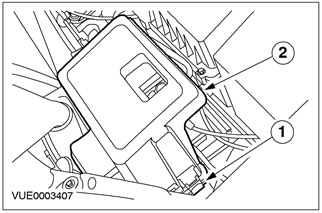
1. Remove the battery cover.
- 1. Release the battery cover.
- 2. Remove the battery cover from the battery tray.
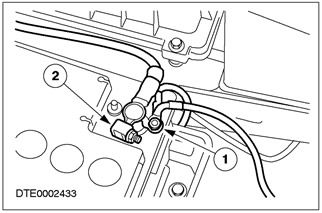
2. Disconnect the ground cable from the battery.
- 1. Disconnect the auxiliary ground wires.
- 2. Disconnect the battery ground cable from the battery.
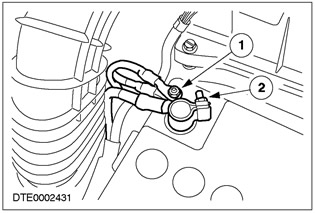
3. Disconnect the battery power cable.
- 1. Disconnect the auxiliary power wires.
- 2. Disconnect the battery power cable from the battery.
4. Disconnect the battery wires from the battery tray.
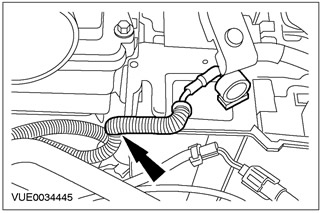
5. Disconnect the starter solenoid wiring harness from the battery tray.
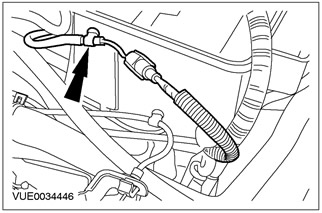
6. Disconnect the battery wires from the battery tray.
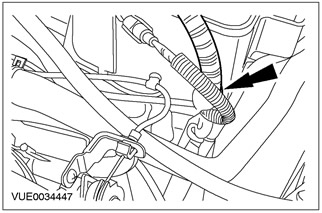
7. Disconnect the ground wire from the battery (for clarity, the air filter is shown removed).
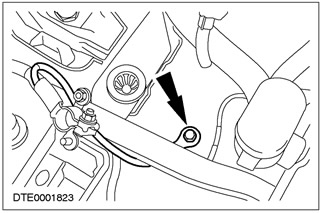
8. Raise and support the vehicle. Refer to Section 100-02 for additional information.
9. Disconnect the starter solenoid wiring harness from the battery tray.
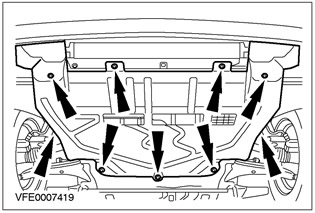
10. Disconnect the ground cable from the battery.
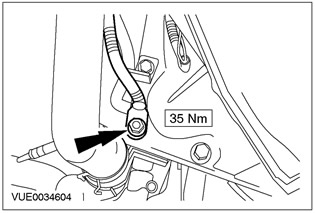
11. Disconnect the starter plug.
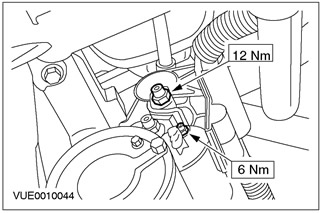
12. Disconnect the generator electrical connectors.
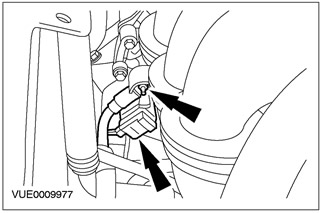
13. Remove the battery wires.
Installation
1. To install, perform the removal procedure in reverse order.