Withdrawal
1. Using the audio unit removal tool, detach the audio unit.
- 1. Insert the audio unit removal tools into the mounting holes until it clicks into place, and gently pull towards the left and right sides of the unit to release the locking tabs.
- 2. Pull the unit out of the instrument panel.
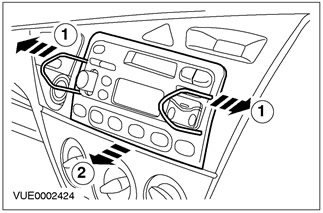
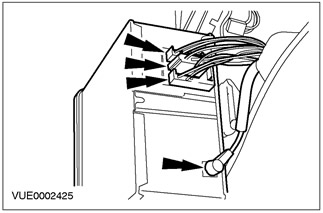
2. Remove the audio block.
- Disconnect electrical connectors.
- Disconnect the antenna cable.
Installation
1. To install, follow the removal procedure in reverse order.
Visitor comments