Removal and installation of the ventilation, heating and air conditioning system control unit (Mondeo 4)

            0

You will need: flat- and Phillips-head screwdrivers, TORX T20 key.

1. Disconnect the wire from the negative terminal of the battery.
1. Disconnect the wire from the negative terminal of the battery.


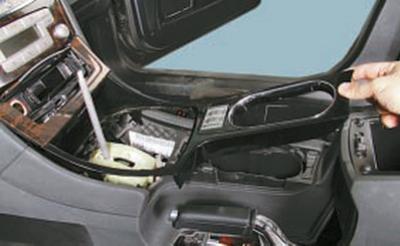
2. Remove the top trim panel of the floor tunnel (see Removing and installing floor tunnel lining).
2. Remove the top trim panel of the floor tunnel (see Removing and installing floor tunnel lining).


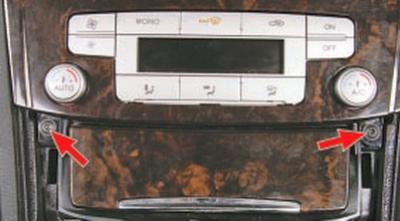
3. Remove the two screws securing the lower panel of the unit.
3. Remove the two screws securing the lower panel of the unit.


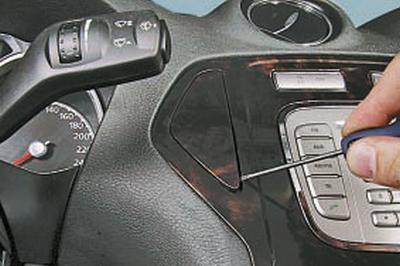
4. Pry it up with a screwdriver…


4. Pry it up with a screwdriver…


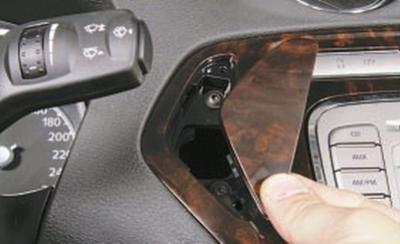
5….and remove the two decorative plugs of the upper panel mounting screws of the unit.
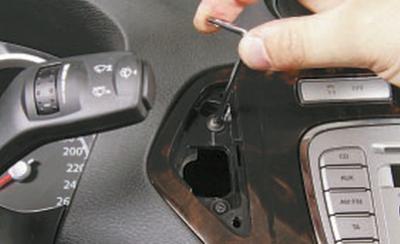
5….and remove the two decorative plugs of the upper panel mounting screws of the unit.


6. Unscrew the two mounting screws located under the decorative plugs…
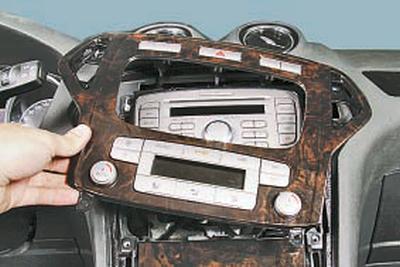
6. Unscrew the two mounting screws located under the decorative plugs…


7….and move the block panel away from the console.
7….and move the block panel away from the console.


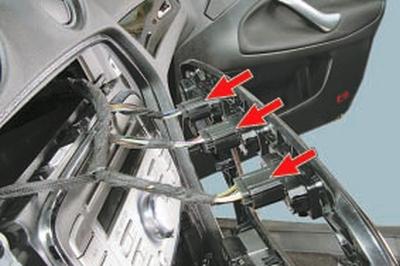
8. Pressing the latches, disconnect the wiring harness connectors from the switch connectors…


8. Pressing the latches, disconnect the wiring harness connectors from the switch connectors…


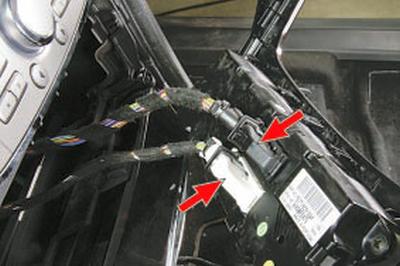
9….and the control unit of the heating and air conditioning system.
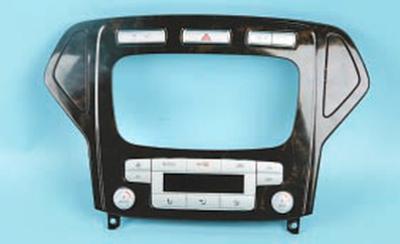
9….and the control unit of the heating and air conditioning system.


10. Remove the control unit panel assembly with the decorative trim.
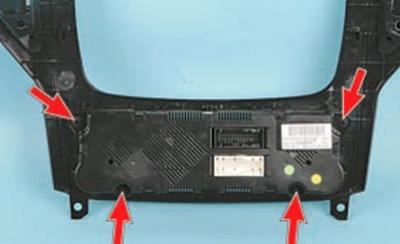
10. Remove the control unit panel assembly with the decorative trim.


11. Remove the four screws securing the control unit to the trim and remove the unit.

12. Install the HVAC control unit in the reverse order of removal.

This article is a copy from the website: FORDBOOK


Link to this page in different formats


Visitor comments

No comments yet


Mondeo 4 
Mondeo 3 
Mondeo 2 
Mondeo 1 and 2 
Mondeo 1 
We use cookies to ensure the site works smoothly, remembers your settings, and is convenient for you 🍪