Removing and installing the interior door trim panel (Mondeo 1 and 2)

            0

Removal


1. Disconnect the negative battery cable.

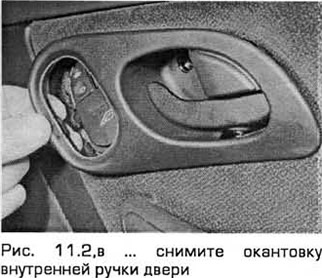
2. Carefully remove the plastic cover using a small screwdriver. Unscrew the screw and remove the inner door handle trim (see Fig. 11.2, a-c).
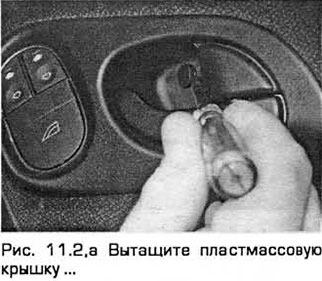
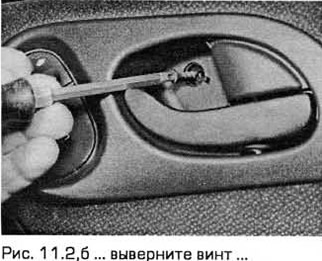
2. Carefully remove the plastic cover using a small screwdriver. Unscrew the screw and remove the…


2. Carefully remove the plastic cover using a small screwdriver. Unscrew the screw and remove the…


3. Remove the window switch (if present) and disconnect the electrical connector (see Fig. 11.3,a,b).
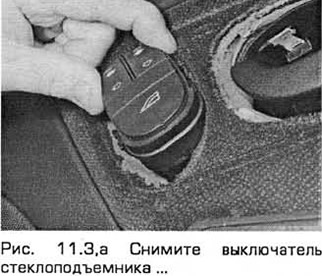
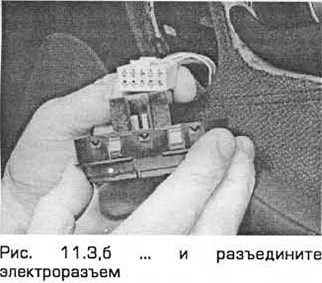

3. Remove the window switch (if present) and disconnect the electrical connector (see Fig.…


Front door


4. Carefully pull out the cover, unscrew the screws and remove the door handle (see Fig. 11.4, a, b).
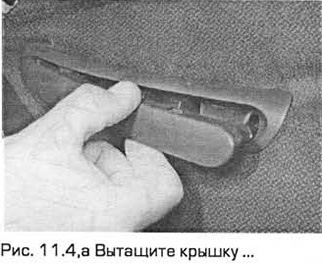
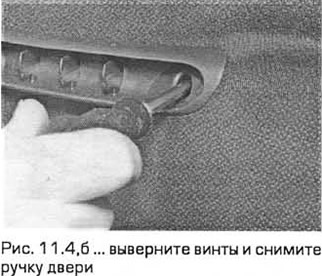
4. Carefully pull out the cover, unscrew the screws and remove the door handle (see Fig. 11.4, a,…


5. Pull out the plastic cover, unscrew the screw and remove the window frame from the front part of the window opening (see Fig. 11.5, a, b).
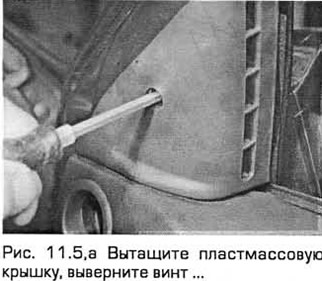
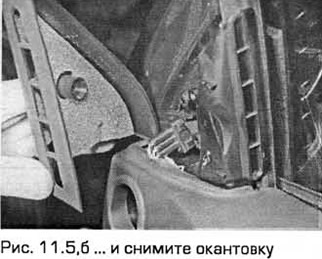

5. Pull out the plastic cover, unscrew the screw and remove the window frame from the front part of…


Back door


6. Carefully pull out the cover, unscrew the screw and remove the door handle (see Fig. 11.6, a, b).
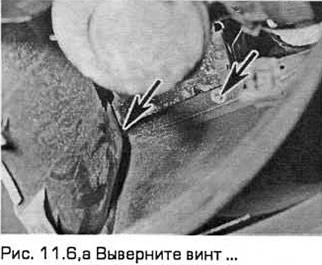
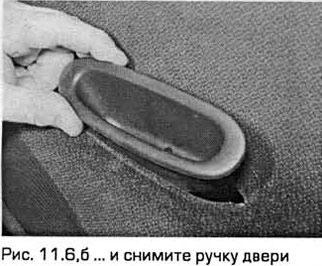
6. Carefully pull out the cover, unscrew the screw and remove the door handle (see Fig. 11.6, a, b).


Front and rear doors


7. On models with manual windows, raise the window completely and mark the position of the window handle. Release the elastic retainer using a clean rag, which must be pushed between the handle and the door trim. Pull the rag, pressing it against the legs of the retainer to release it, and at the same time pull the handle off the splines of the window shaft. Remove the handle (and the spacer washer, if present). Remove the retainer (see Fig. 11.7, a-c).
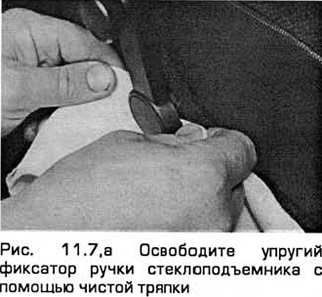
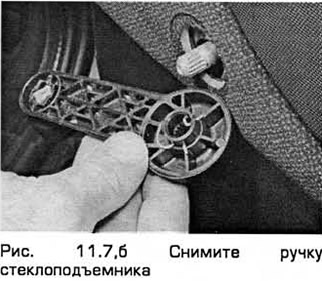
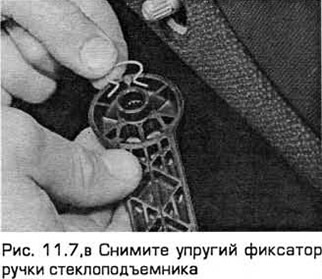
7. On models with manual windows, raise the window completely and mark the position of the window…


7. On models with manual windows, raise the window completely and mark the position of the window…


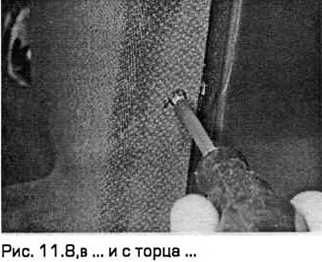
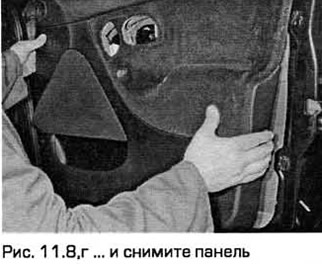
8. Remove the caps from the trim panel mounting screws. Unscrew the screws and remove the panel. If a speaker is attached to the panel, disconnect its electrical connector (see Fig. 11.8,a-g).
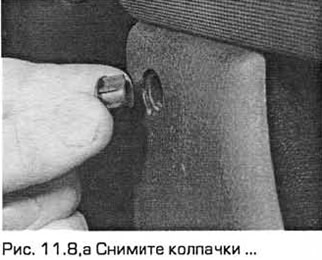
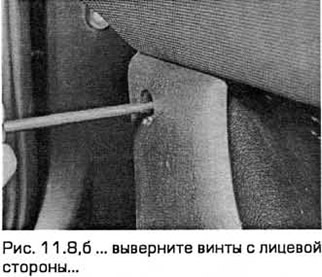
8. Remove the caps from the trim panel mounting screws. Unscrew the screws and remove the panel. If…


8. Remove the caps from the trim panel mounting screws. Unscrew the screws and remove the panel. If…


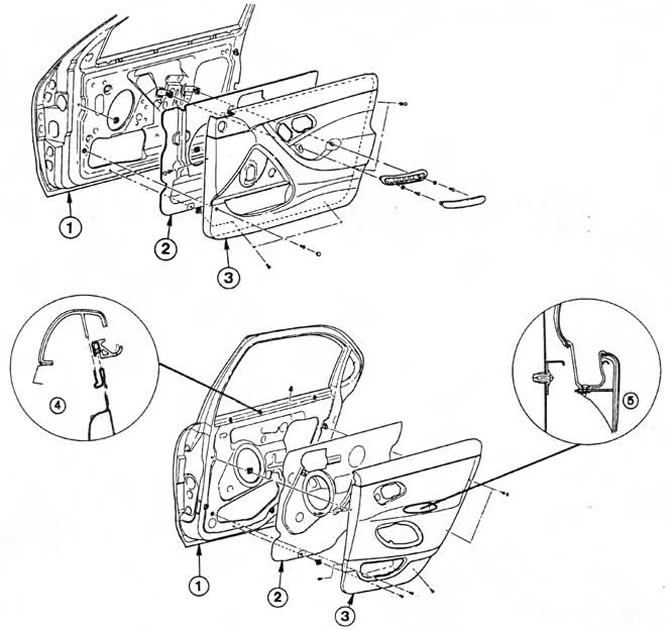
Fig. 11.8,d. Door trim components. Fig. 11.8,d. Door trim components.
1. Door
2. Sponge seal
3. Facing panel
4. Upper mount
5. Central mount


9. If necessary, you can remove the foam insulation from the door after removing the speaker (Chapter 12).


10. On models with manual windows, remove the sponge spacer sleeve from the window regulator shaft (see Fig. 11.10).
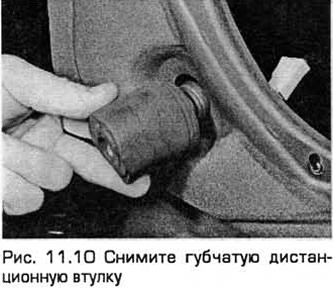
10. On models with manual windows, remove the sponge spacer sleeve from the window regulator shaft…


11. On the rear door, unscrew the screws and remove the bracket (see Fig. 11.11).
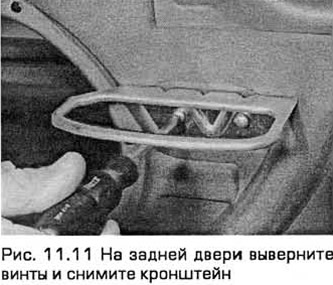
11. On the rear door, unscrew the screws and remove the bracket (see Fig. 11.11).


12. Carefully separate the foam insulation from the door using a knife in the places where it is glued (see Fig. 11.12). Remove the foam insulation.
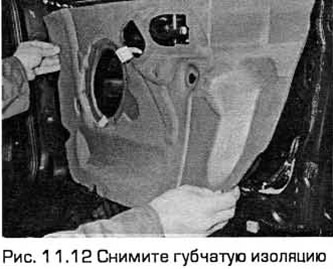
12. Carefully separate the foam insulation from the door using a knife in the places where it is…


Installation


13. Installation - in the reverse order of removal.


Link to this page in different formats


Visitor comments

No comments yet


Mondeo 4 
Mondeo 3 
Mondeo 2 
Mondeo 1 and 2 
Mondeo 1 
We use cookies to ensure the site works smoothly, remembers your settings, and is convenient for you 🍪