


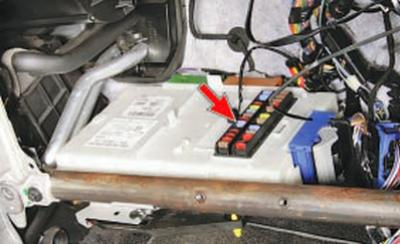
The multi-function electronic unit (GEM) is installed on the right under the instrument panel, under the glove compartment.
NOTE: Shown with instrument panel removed for clarity.
No tool is required to remove the block.
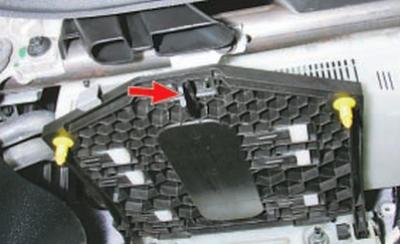
1. Turn the multifunctional electronic unit base lock to the right by a quarter turn, remove the base from the holders, lower the base together with the unit down and pull it out towards you, rearranging the housing protrusions in the grooves of the supporting brackets.
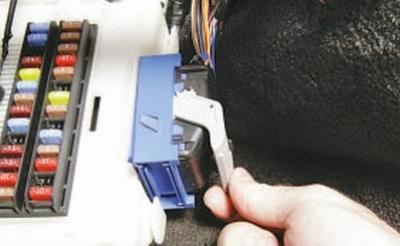
2. Unfasten the blue wiring harness connector clip…
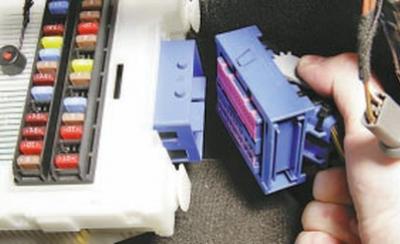
3….and disconnect the connector from the block.
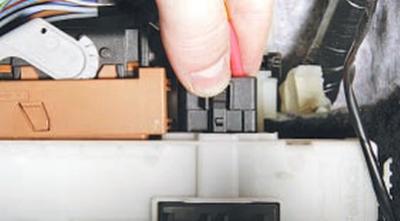
4. Squeeze the clips of the right black wiring harness connector…
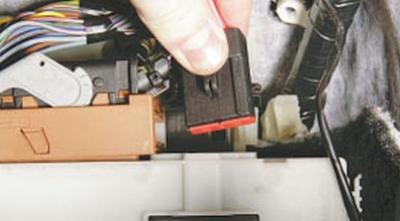
5….and disconnect the connector from the block.
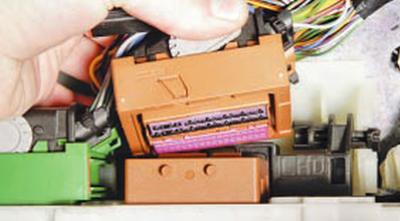
6. After unfastening the fasteners, disconnect the brown… from the block
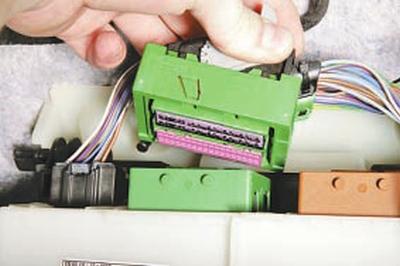
7….and the green wiring harness pads.
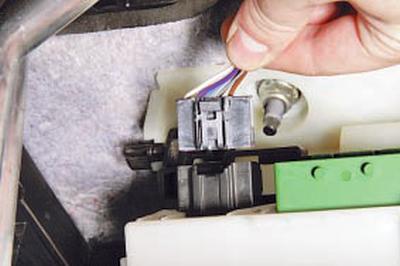
8. Disconnect the left black wiring harness connector from the multi-function unit by squeezing its fastening clips and remove the unit.
9. Install the GEM in the reverse order of removal.
The original text is provided on an online resource: www.FordBook.ru