Keys
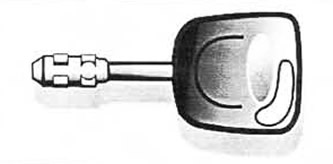
Such a key locks and opens all the locks of the car. Usually each key has its own number, and a set of keys is accompanied by a special tag. In case of loss of the master key, you should contact the Service Center and tell them its number for making a duplicate.
Illuminated key
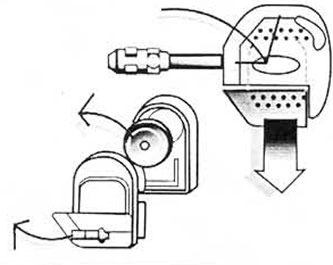
The backlight of the key works when the button is pressed. The battery and light bulb are a separate replacement element that can be purchased at the Service Center or specialized stores. To change a light bulb or battery, you need to press the button with the company logo all the way «Ford» and pull the element. Then open it and replace the desired part. Then close the element and paste it into place.
Warning: To protect the environment, used lithium batteries should not be disposed of with household waste.
Master key for remote control system

The master key locks and unlocks all the vehicle's locks. The transmitter for the infrared door remote control system is built into the key and the receiver is built into the front door handle.
Locks
Door locks
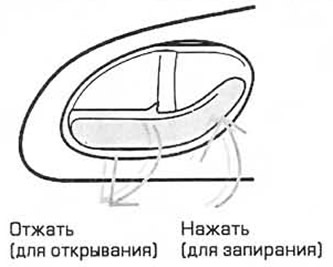
The front passenger door can be opened/closed either with the key from the outside or with the door lock handle from the inside. The driver's door can only be locked from the outside with the key. Front and rear passenger doors - pressing the handle and closing the door from the outside. There is a white mark on the end of the handle.
For the use of an anti-theft device, double lock or internal warning system, see the relevant paragraphs below.
Rear door lock against accidental opening by a child
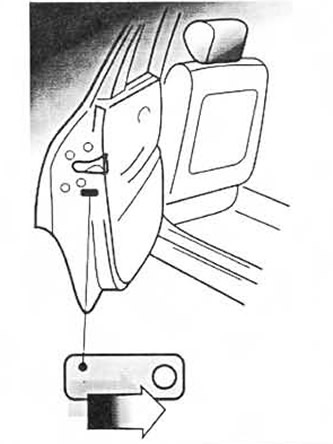
To lock, move the tailgate lock lever inward. Now the lock can only be opened from the outside.
Opening the luggage compartment
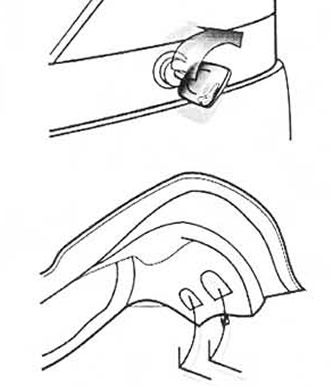
To open the luggage compartment, turn the key to the right as far as it will go. The lighting will automatically turn on.
If the ignition is off and the doors are not locked, the luggage compartment can be opened by simply pressing the lock cylinder. To facilitate opening/closing, special recessed handles are located on the luggage lid.
Central locking system
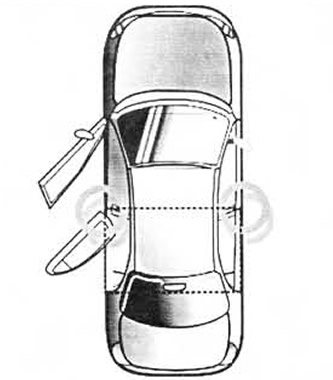
The central locking system can be activated from both front doors either from the outside with the key or from the inside by pressing the door handle. It only works if the doors are fully closed.
The luggage compartment can be opened directly with the key or with the remote control.
Door lock mode eliminates the possibility of unwanted intrusion into the car (e.g. when stopping at a traffic light).
Double lock system
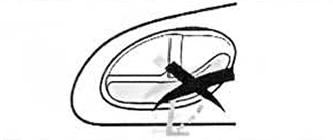
Now it is impossible to open the car from the inside.
The system is an additional means to protect the doors and luggage compartment from unwanted intrusion into the car.
Warning: Do not use the double locking system if there are passengers in the vehicle.
Turning on the system
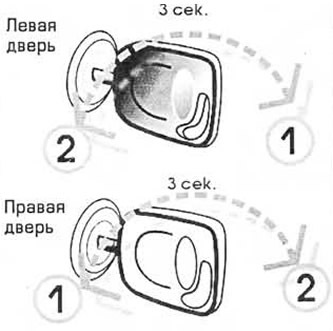
Double locking is only possible if all doors are fully closed.
The system can be activated from both front doors by first turning the key to position (1), then, within 3 seconds, to the position (2). If an intermittent beep sounds, then the system is working.
Regardless of it, you can turn on the alarm system. To do this, turn the key to position (2).
See the relevant Paragraph for more details.
Function test
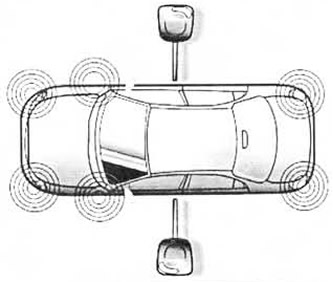
When the double locking system is activated, the corresponding indicator lamp and (or) the direction indicators will flash for 5 seconds.
System shutdown
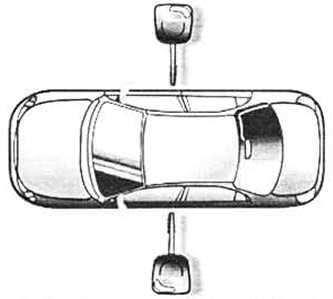
The system will automatically turn off as soon as the car is unlocked with the key.
Warning: If the electrical system in the vehicle is faulty, the front doors can be opened with the key.
Remote control system
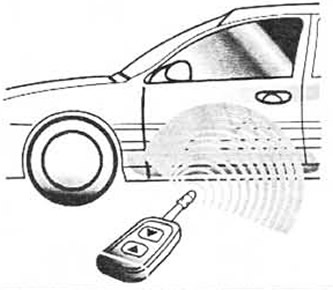
The remote control system works on infrared radiation. It will turn on as soon as the ignition key is removed from the lock and all doors are closed.
Maximum distance between receiver (at the front doors) and transmitter (in key) - 5 meters.
The luggage compartment can be opened either with a key from the outside or with a remote control from the inside.
Unlock
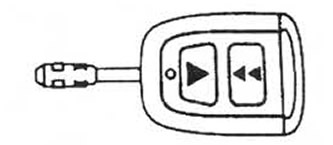
To unlock, point the key at one of the front doors and press the button with one triangle: central locking, double locking and the alarm system are disabled.
Blocking
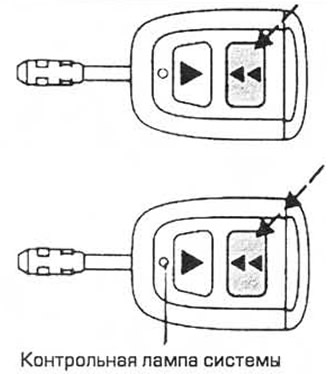
To activate the central locking, point the key at one of the front doors and press the button with two triangles: the car will be locked with the central locking and the alarm system will turn on. By double pressing the button, after 3 seconds, the double blocking and the security system with sensors inside the passenger compartment will turn on.
Key battery replacement
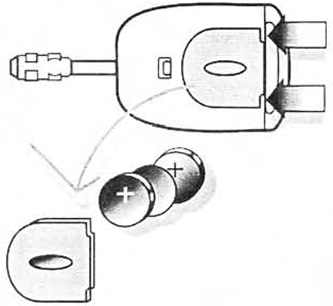
If the key indicator does not come on when any button is pressed, both batteries in the key should be replaced. Order number: 5 030 185. To replace the batteries, you need to pick up the cover with a flat object, open it, remove the old batteries and put new ones between the contacts, sign «+» up. Then close the lid.
Warning: If it takes more than 15 seconds to replace the battery, the locking system must be reprogrammed. This is best done in the Service Center.
Warning: To protect the environment, used lithium batteries should not be disposed of with household waste.
Engine blocking system
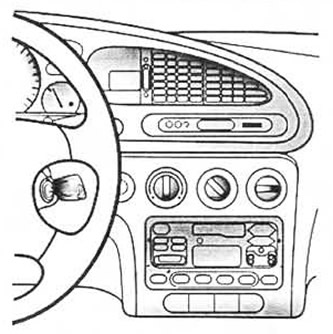
Once the blocking system is activated, the engine cannot be started. Therefore, it must first be disabled using a key with an electronic code.
Keys
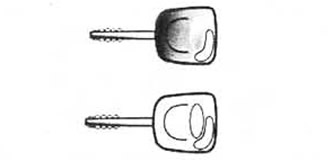
For the Ford Mondeo car, there are three keys with an electronic code: the main red key and two with a red mark. You should store them especially carefully, since no other keys will work.
Automatic activation of the engine blocking system
The system turns on 5 seconds after the ignition is turned off. When the system is running, the warning light comes on every two seconds.
Automatic shutdown of the engine blocking system
If one of the three electronic code keys is used, the system is automatically deactivated after the ignition is switched on.
Function test

When the ignition is turned on, the warning light on the digital clock or on-board computer comes on for approximately 3 seconds, indicating that the system is operating normally.
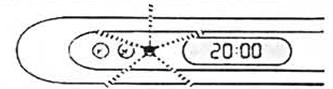
If, when the ignition is switched on, the control lamp flashes rapidly for about 1 minute at regular intervals, this means that the system has not identified the key code. Remove the key from the ignition and start the engine again.
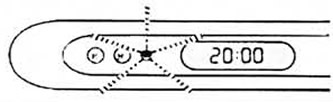
If, when the ignition is turned on, the control lamp lights up for about 1 minute, then starts to blink inconsistently, this means that the system is damaged. In this case, you must definitely check it in the Service Center.
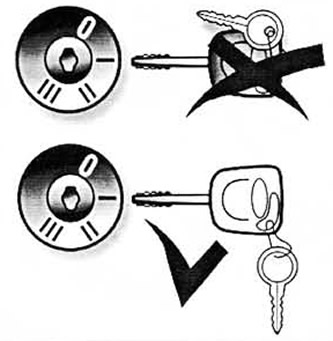
Warning: To avoid incorrect reading of the code from the key, do not cover its head with metal. Main (red) The key is best kept in a safe place.
Key encoding
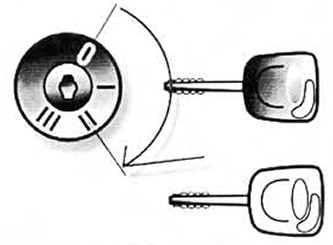
Up to 15 spare master keys can be encoded. To do this, insert the master key into the ignition switch and turn it to position II. When the control lamp lights up, turn off the ignition, remove the key and wait until the control lamp lights up again. After it goes out, you have approximately 10 seconds to program one key: insert it into the ignition switch and turn it to position II. When programming is completed, the indicator lamp will go out.
If you need to encode other keys, the operation must be repeated.
If necessary, the Service Center can replace the master key and reprogram already encoded duplicates. The system does not require special maintenance.
Warning: If you lose the keys, you should inform the Service Center about it and change the code for security.
Visitor comments