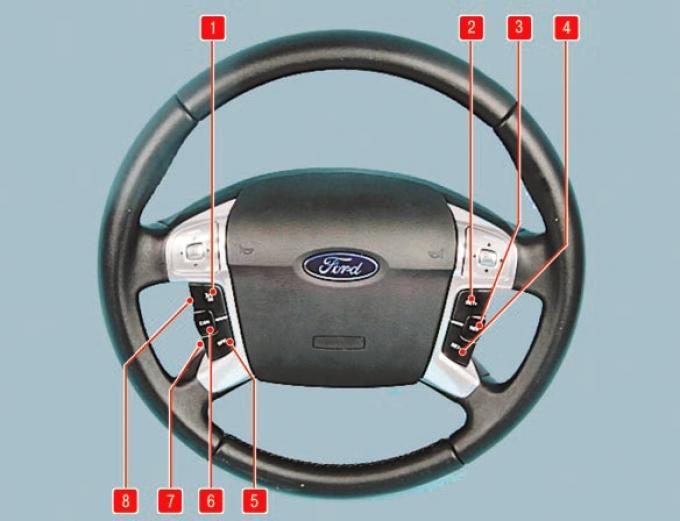
Fig. 1.13. Cruise control keys: 1 – "ON" key (turns on cruise control); 2 – "SET+" key to increase speed; 3 – "RES" button (cruise control restore); 4 – "SET–" key for decreasing speed; 5 – "OFF" button for turning off cruise control; 6 – "CAN" button for temporary cruise control deactivation; 7 – Distance reduction button (car with adaptive cruise control); 8 – distance increase button (car with adaptive cruise control).
The cruise control system allows you to control the speed of the car using buttons located on the steering wheel. The cruise control function is available at speeds exceeding 40 km/h.
WARNING It is not recommended to use cruise control in heavy traffic (such as in city traffic), on slippery or winding roads, or in other driving situations that may result in loss of vehicle control.
The cruise control system is controlled using six buttons located on the steering wheel.
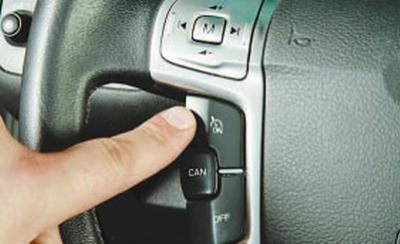
To turn on cruise control, press key 1 (Fig. 1.13) ("ON")…
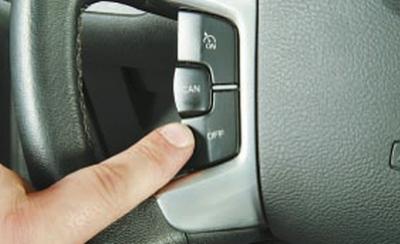
…and to turn it off, press key 5 ("OFF"). After turning on, the system is ready to record the required constant speed value into memory, deactivate and then activate the cruise control. When the system is turned on, the previously set speed is deleted from memory.
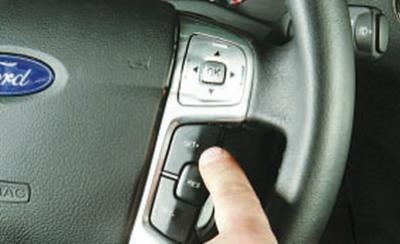
To set a constant speed, accelerate the car to the desired speed (at least 40 km/h) and press button 2 ("SET+") or 4 ("SET–"). The indicator lamp in the instrument cluster will light. Now you can take your foot off the accelerator pedal.
NOTE: Cruise control maintains engine torque at a level that allows driving at the set speed. However, since the cruise control system is not connected to the braking system, the vehicle speed may exceed the set speed when driving downhill. In this case, if you downshift and press button 3 ("RES"), the vehicle will return to the set speed.
With each subsequent short press of keys 2 ("SET+") or 4 ("SET–") (see Fig. 1.13), the value of the supported speed will increase or decrease accordingly. If you hold these keys down, the car will accelerate (without pressing the accelerator pedal) or decelerate accordingly. After releasing the keys, the current speed will be set as the set speed. To temporarily increase the speed, press the accelerator pedal; after releasing the pedal, the previously selected constant speed will be automatically set.
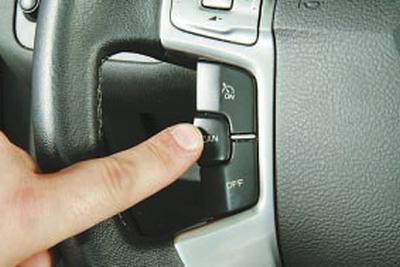
To cancel maintaining the set speed, press button 6 ("CAN") - the control lamp in the instrument cluster will go out. Cancellation of maintaining the set speed also occurs automatically when you press the brake pedal. To return to the previously set constant speed after canceling it, press button 3 ("RES") (see Fig. 1.13).
NOTE: On top-of-the-range Titanium and Titanium Executive models, adaptive cruise control can be installed, which will accelerate or decelerate your car while maintaining a set distance. This is done using two buttons 7 and 8 (see Fig. 1.13), located on the steering wheel.