

SEQUENCE OF WORKS
1. Disconnect the cable from the negative terminal of the battery.
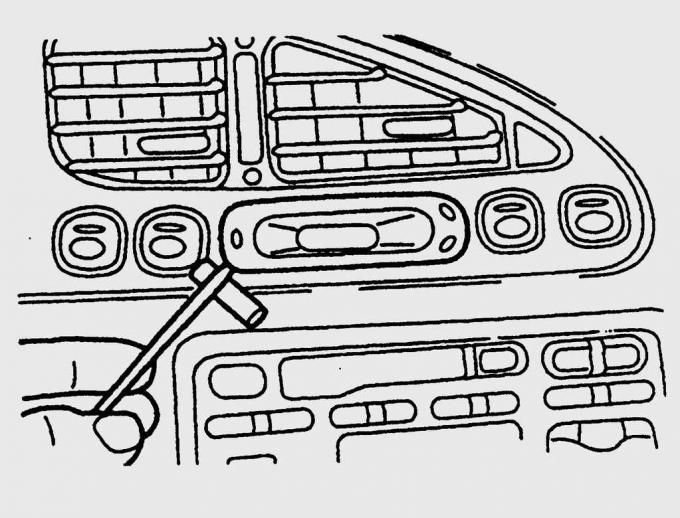
Fig. 16.9. Using a screwdriver to remove the clock from the instrument panel
2. Using a screwdriver blade placed under the clock flange, use it as a lever to remove the clock from the instrument panel. Be sure to place a clean cloth under the screwdriver (Fig. 16.9).
3. Disconnect the contact connector from the watch.
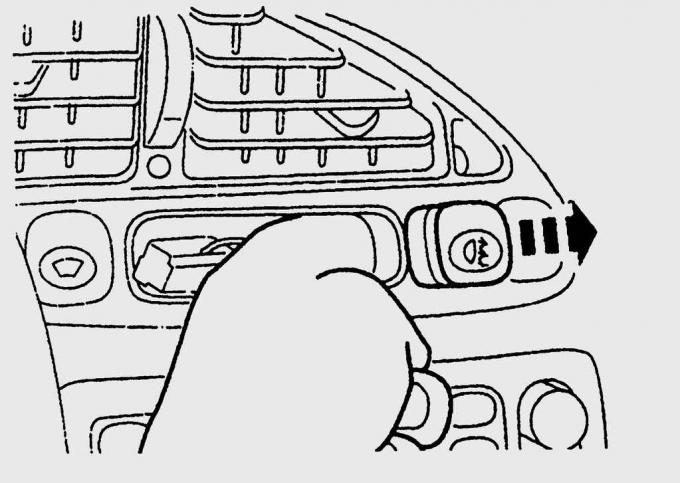
Fig. 16.10. Removing the switch from the instrument panel
4. Through the hole that opens after removing the clock, push the faulty switch out of the instrument panel from the inside and disconnect the contact connector from it (Fig. 16.10).
5. Installation is carried out in the reverse order of removal.